

2025-08-25

Check the product model and appearance, confirm whether the device is equipped with a screen or a light, and find the corresponding manual. The information presented on the screen, indicator lights, and app may be different, and it is not advisable to directly apply other styles of operating methods.
When technical assistance is needed, providing the complete model and front photos can help confirm which set of operating data should be used.
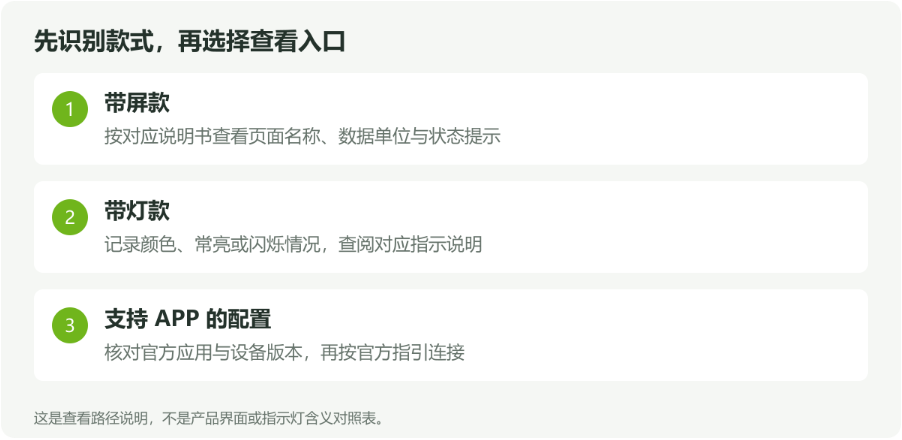
Figure 1 | Search for information by style, without mixing the operating rules of other versions.
For styles that support device viewing and settings, you can follow the instructions to enter the corresponding status or settings page. When reading data, attention should be paid to the numerical names, units, and current operating mode simultaneously,
Avoid confusion between input and output information. When there are prompts or abnormal information on the page, it is recommended to take a complete picture first, and then record the power supply, electricity consumption, and operation situation at that time. Providing a single number alone is usually not enough to determine if the operation is functioning properly.
The indicator light needs to be understood in conjunction with its color, constant or flashing status, and the instruction manual. The meaning of different versions may vary, and it is not advisable to directly apply the indicator light rules of other products to the current device.
When consulting, you can shoot a short video to show the complete indication changes and describe what actions were taken before the prompt appeared.
If the purchased configuration supports an APP, please confirm the application name, download source, and connection method through the official instructions provided with the product, and follow the process of that version. Do not install applications solely based on similar icons,
Do not interpret paired phones as applications already connected. If the connection is unsuccessful, you can record the phone system, app version, device model, and specific prompts before submitting to technical support. Remote access, communication methods, and adjustable items should all be confirmed based on the actual product functionality.
|
problems encountered |
Suggestion record |
|
Page data or prompts not understood |
Complete page, field names, units, and current mode. |
|
I don't understand the changes in the indicator light |
Color, constant or flashing status, and short video. |
|
APP connection unsuccessful |
Mobile system, APP version, device model, and specific prompts. |
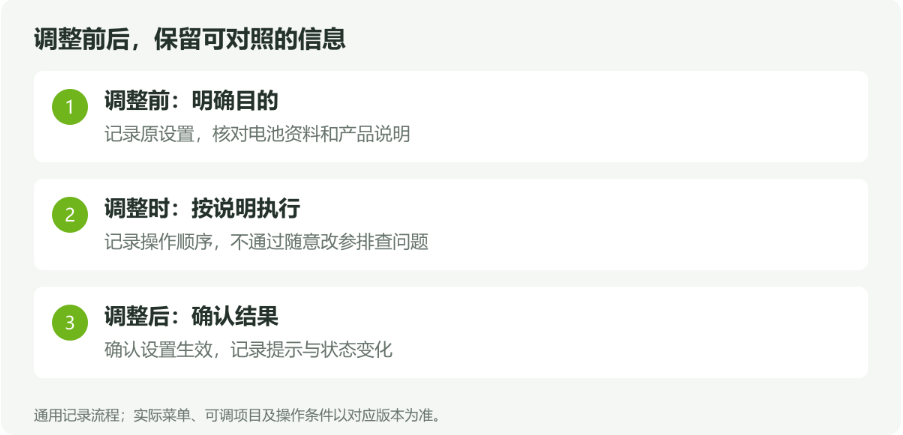
Before making modifications, clarify the purpose of the adjustment and record the original settings. When it comes to battery type, charging parameters, or mode selection, the battery information and product description should be checked, and the problem should not be attempted to be eliminated by repeatedly changing parameters.
After modification, confirm whether the settings are effective according to the instructions and observe the device prompts. If there are unexplained changes, keep screenshots and the order of operations for technical personnel to analyze.
上一条:What documents need to be prepared before installation?
下一条:How to understand the protection level and installation environment requirements?
返回列表Online service consultation


Service Support
Please scan the official official account